
Echo Automation

Retail and ticket automation.

Checkout tasks for limited retail and concert-ticket drops, run from the desktop app on Mac and Windows.
01 Checkout tasks
02 Captcha AI
03 Monitors
04 Sites
Checkout tasks in the Echo desktop app
01 Checkout tasks

Task groups for every drop

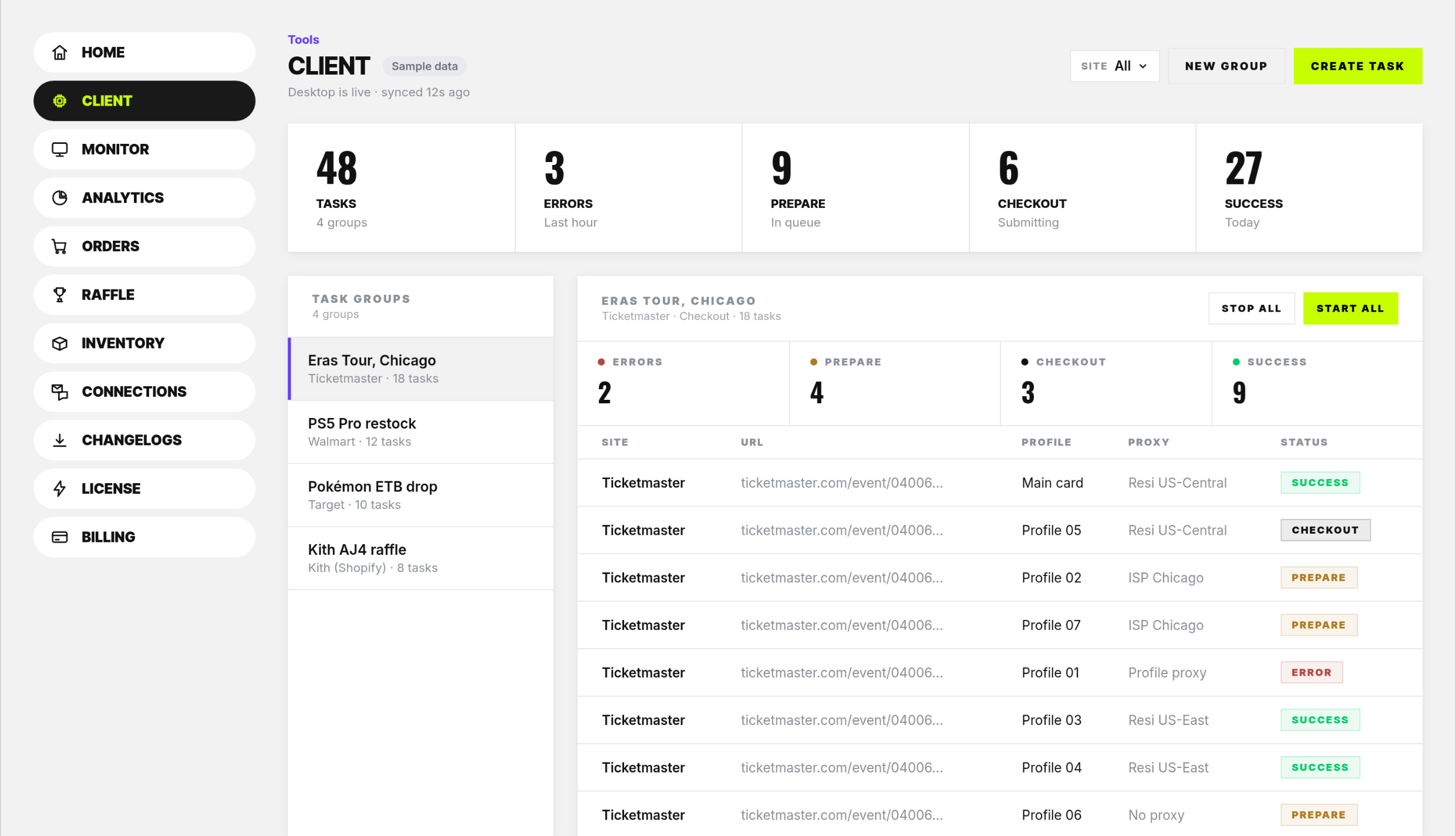
The desktop app runs checkout tasks on your computer, organized in task groups.
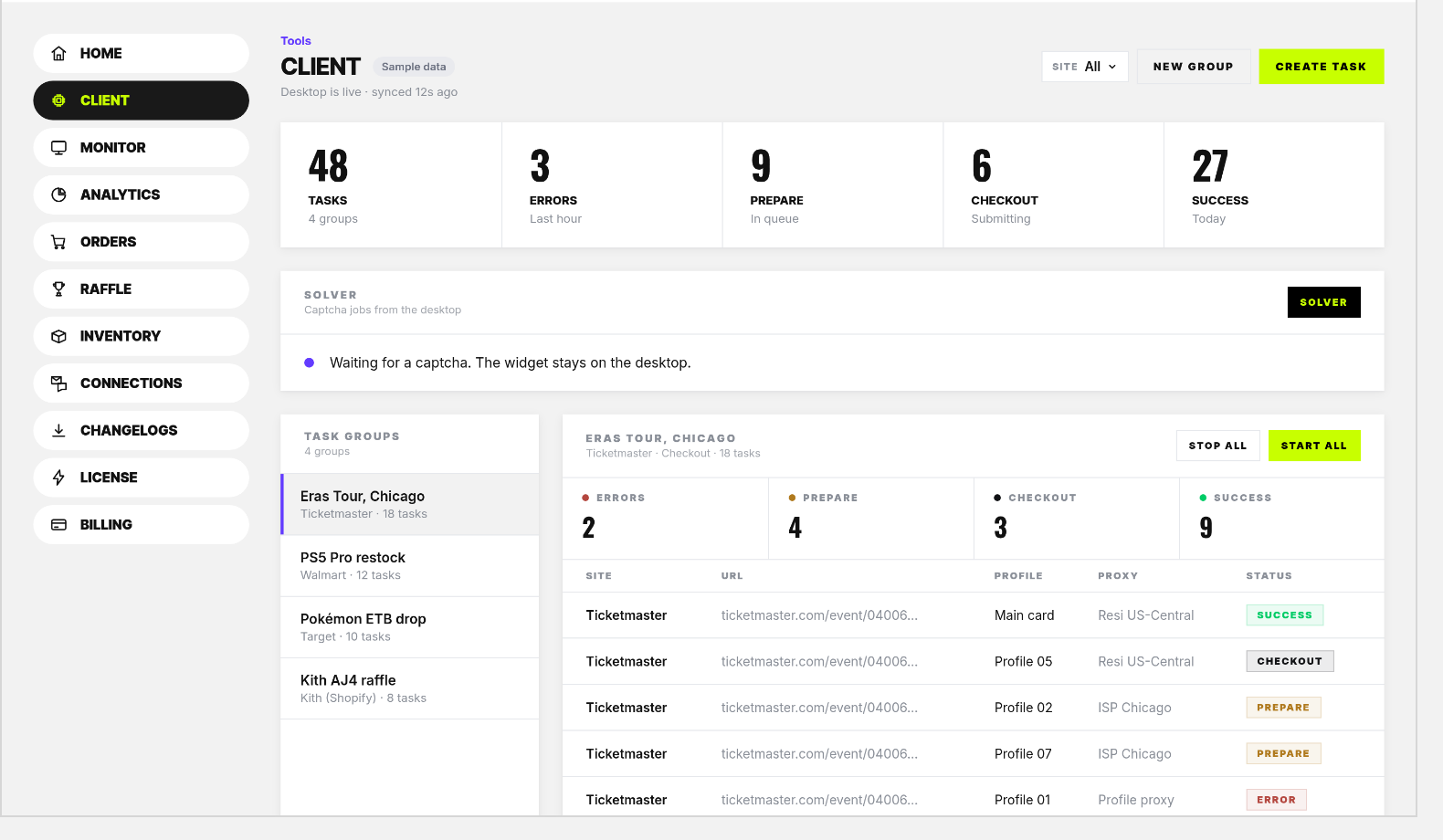
  • Task groupsOne group per drop, each with its own tasks.
  • Live statusErrors, prepare, checkout and success for each group.
  • Start and stopStart all or stop all tasks in a group.
Task groups with live checkout status
Captcha AI solving a desktop task
02 Captcha AI

Captchas, handled

Captcha jobs from your desktop tasks are solved by Captcha AI.

  • SolverCaptcha jobs from the desktop are picked up by the solver.
  • Stays on the desktopThe solver widget stays on the desktop app.
03 Monitors

Watch for restocks and drops

Monitors run in the desktop app and watch for restocks and ticket drops.
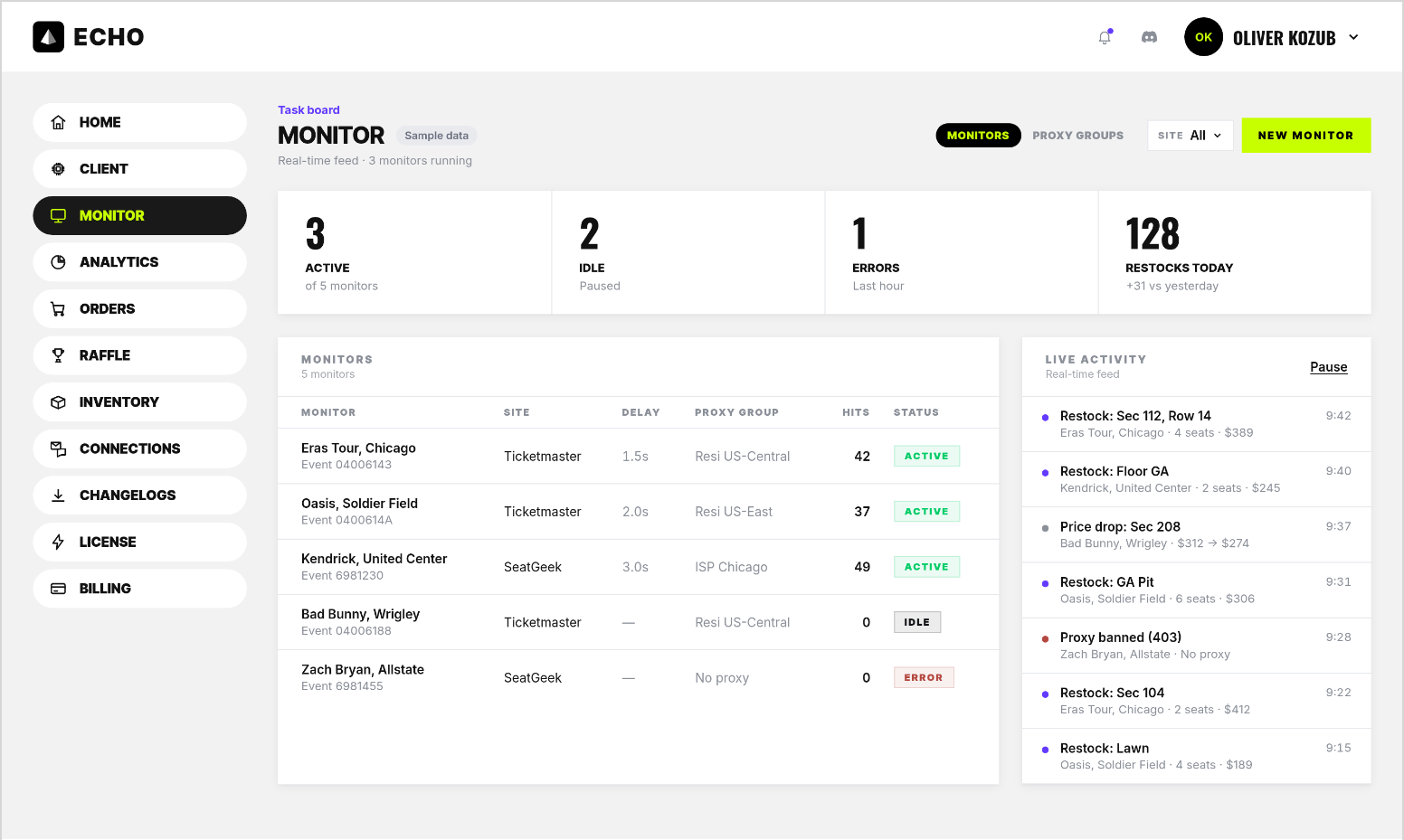
  • Per event or productEach monitor watches one site and event or product.
  • Live activityRestocks and changes as they are found.
  • StatusActive, idle or error for each monitor.
Monitors watching restocks and ticket drops
04 Sites

Retail and tickets

Restocks

Retail

TargetWalmartShopifyQueue-itMore coming

Drops

Tickets

TicketmasterAXSSeatGeekMore coming
Echo Mobile for iOS

Your tasks, from your phone

Echo Mobile comes with Echo Automation. Start, stop and watch task groups from your iPhone, with live status for each task.
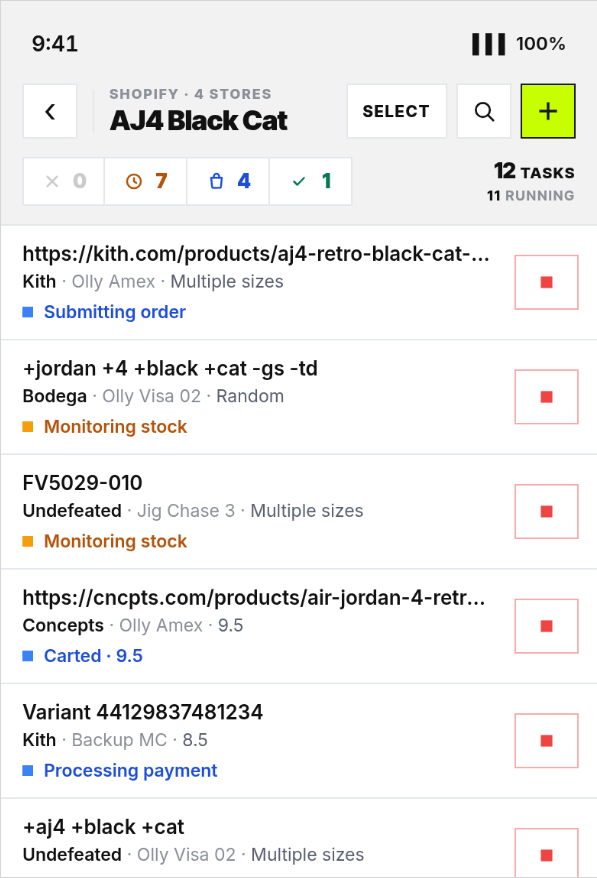
Echo Mobile task list
Process

Three moves. Then you’re live.

01

Point it

Add monitors for the sites, events and products you care about.

02

Hear it

Monitors fire the moment inventory or a queue moves.

03

Move

Act on fresh data instead of refreshing tabs.

Echo Automation

Runs on Mac and Windows.

Set up your tasks before the drop. Echo runs them the second it goes live.

Tracking orders and stock? Use it alongside Echo Tools.